
AI ERP with Microsoft Copilot in Business Central
Business Central Core Function
Bring AI into the flow of everyday business with Copilot and intelligent agents in Microsoft Dynamics 365 Business Central.
AI in Business Central goes beyond adding another standalone application to your technology stack. Copilot in Dynamics 365 Business Central brings generative AI capabilities into Business Central experiences, while Microsoft's AI agents are designed to automate specific business processes.
Give your people intelligent assistance with everyday work and use AI agents to take automation further across areas such as sales order processing and accounts payable.
Put AI where your business information already lives
The real opportunity with AI isn't simply generating text. It's using AI in the context of your business processes and information.
Microsoft Copilot in Business Central is designed to help organisations improve productivity and creativity, with capabilities ranging from AI-generated product descriptions to assistance with bank reconciliation.
And with Business Central agents, AI can move beyond assistance into defined business processes.
This creates two important layers:
AI that assists your people
Use AI to help find information, create content, analyse information and perform everyday Business Central tasks.
AI that performs defined processes
Agents can perform multi-step work within Business Central and involve users at defined points when necessary. For example, Sales Order Agent is designed to run autonomously while keeping users informed and involving them when configured processes require it.
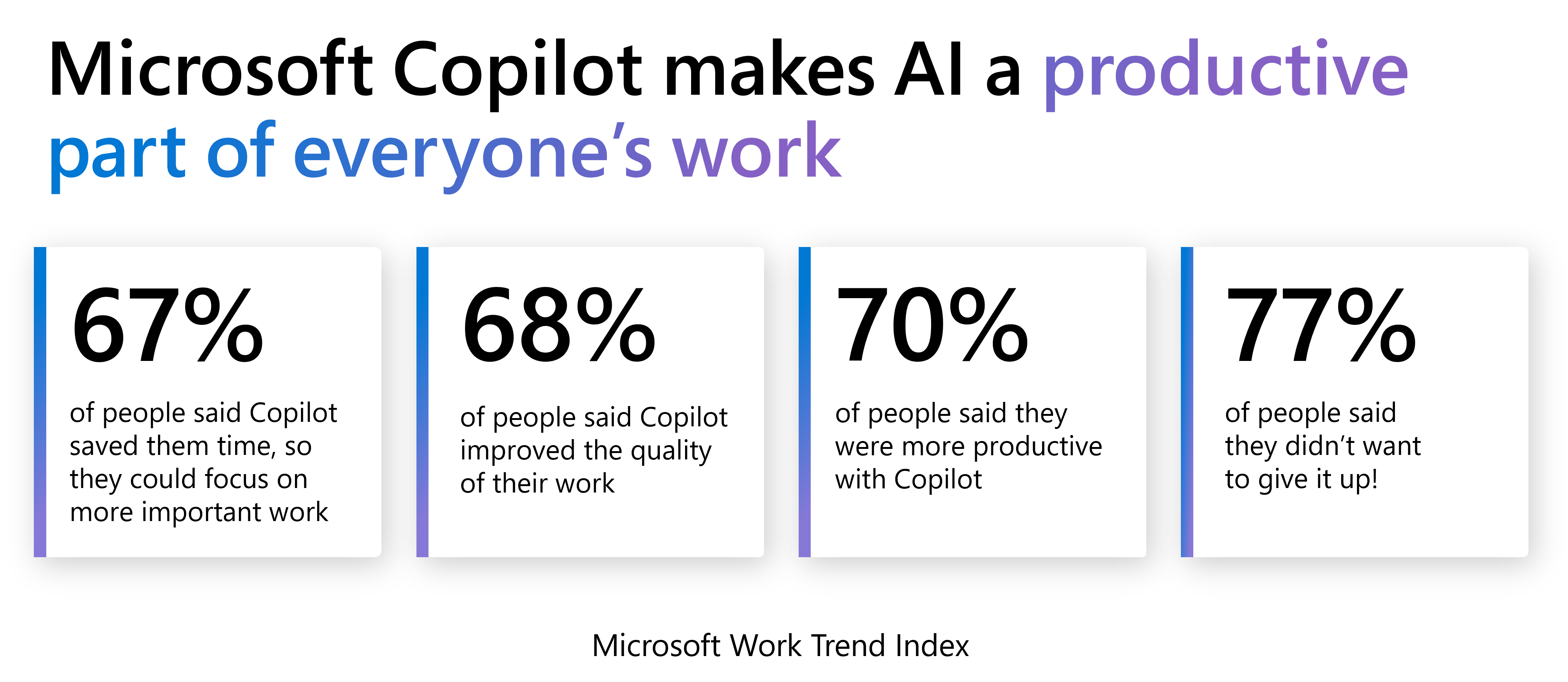
COPILOT IN BUSINESS CENTRAL
Copilot brings generative AI into Business Central to help people spend less time on repetitive work and more time using the information within their ERP.
Rather than treating AI as a separate destination, the goal is to make intelligent assistance useful within the business processes your team already performs.
Improve Productivity
Use AI assistance to reduce repetitive effort and help people work more efficiently with Business Central.
Unlock Creativity
Copilot can draft product descriptions from product attributes including colour, material and size, with options to adjust tone, format and emphasis.
Reduce Repetitive Administration
Use AI-supported capabilities in areas such as bank reconciliation, where Copilot can help match transactions and suggest ledger accounts for unmatched transactions.
CHAT WITH COPILOT
Ask Business Central in natural language
Copilot is an intelligent assistant working alongside Business Central, helping users engage with Business Central information and functionality more naturally.
Rather than expecting every user to know exactly where information lives, AI creates opportunities for a more conversational way to interact with ERP.
AI-POWERED ANALYSIS
Get from business data to insight faster
ERP systems contain huge volumes of useful business information. The challenge is turning that information into something people can understand and act on.
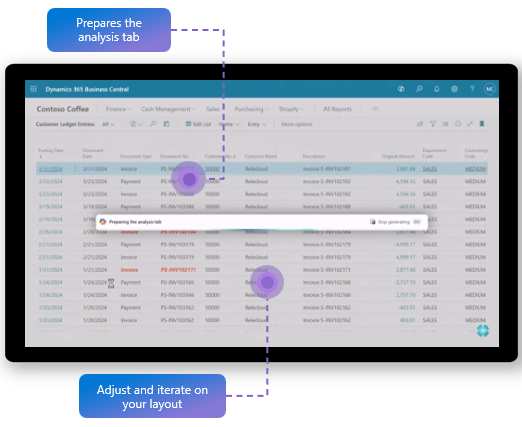
Use Copilot-assisted analysis to explore Business Central data more naturally and reduce the effort required to move from raw information to useful insights.
COPILOT FOR FINANCE
Take the repetitive work out of everyday finance
Financial administration is one of the strongest opportunities for AI-assisted ERP.
Bank Reconciliation with Copilot
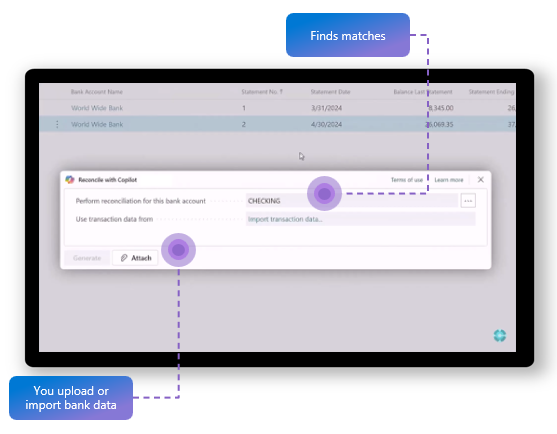
Copilot can assist bank reconciliation by matching transactions with Business Central ledger entries and suggesting appropriate ledger accounts for remaining transactions.
That turns AI into something tangible for finance users, rather than simply talking about AI in abstract terms.
COPILOT FOR SALES & PRODUCT CONTENT
Bring products to market with AI-generated content
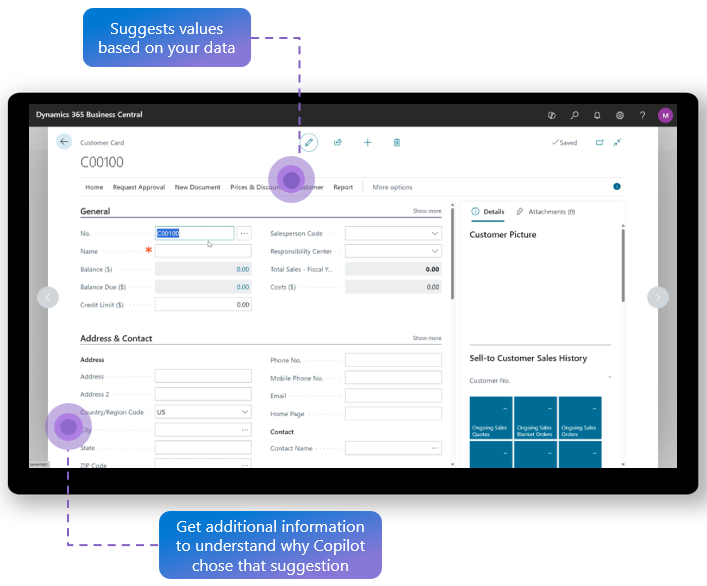
Copilot can create product descriptions using information already associated with the product, including attributes such as colour, material and size.
Users can then tailor the output by adjusting tone of voice, format and the qualities they want to emphasise.
Business Central's Shopify integration allows products to be published to an online store.
For businesses looking for a more comprehensive B2B or B2C ecommerce environment, ERP365 can also connect Business Central with DynamicWeb.
TAKE AUTOMATION FURTHER
Move from Copilot to AI Agents
Copilot helps people work. AI agents take the next step by performing defined business processes on their behalf.
Business Central now includes purpose-built agents for specific business processes, including Sales Order Agent and Payables Agent.
These aren't generic chatbots. Each one is built around a particular area of business activity.
SALES ORDER AGENT
Automate inbound sales order processing
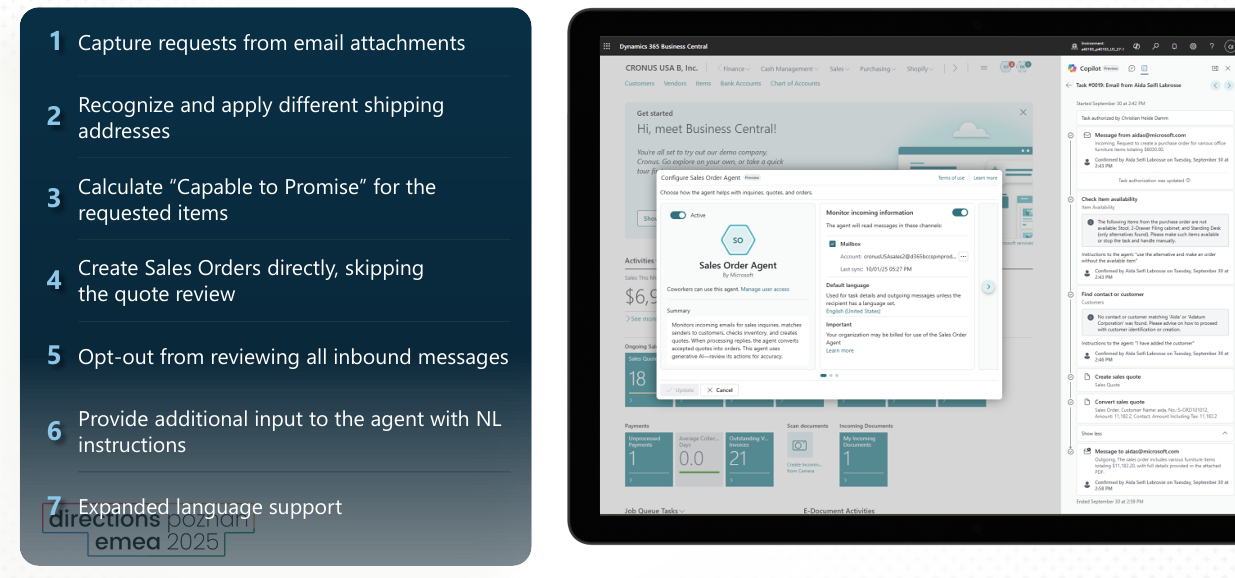
Sales Order Agent helps automate the process of capturing information for sales orders from customer requests received by email.
The agent can analyse the incoming request, locate the customer in Business Central and check inventory availability. Where information is missing or clarification is required, it can engage in email conversations before following up with a sales quote or order according to its configuration.
This provides a compelling example of agentic ERP:
Customer Request → AI Processing → Customer & Item Information → Availability → Quote/Order
The agent operates within permissions and a profile assigned by an administrator.
Sales Order Agent
PAYABLES AGENT
Bring AI automation to Accounts Payable
Payables Agent takes the concept into finance.
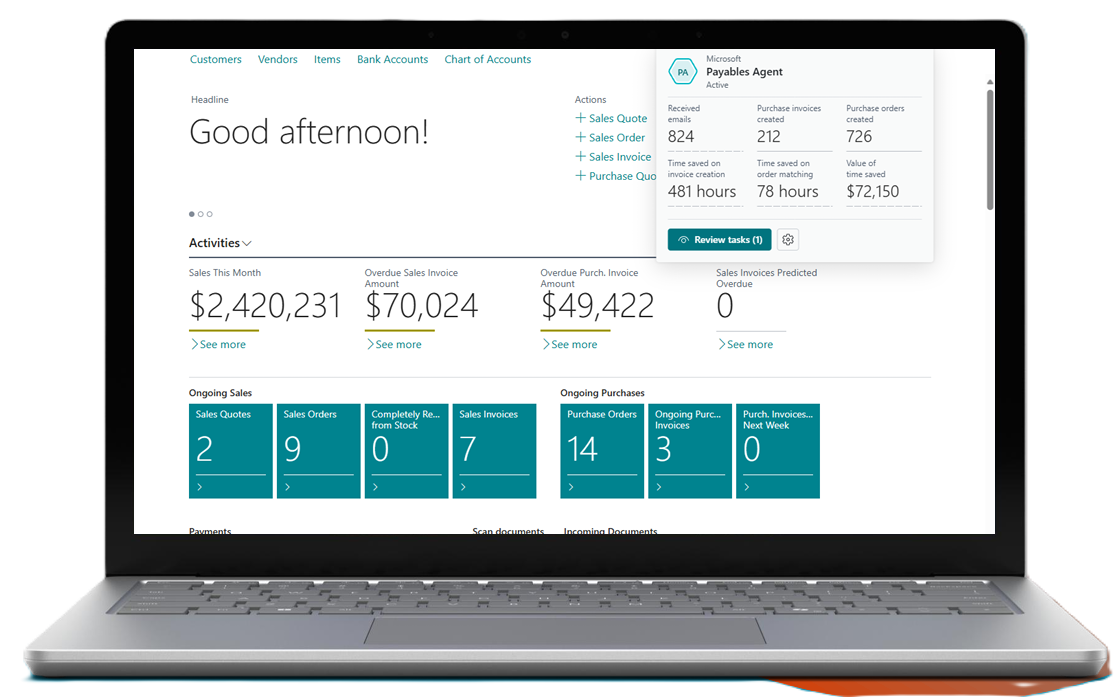
The agent is designed around end-to-end vendor invoice processing. It can monitor a mailbox for incoming vendor invoices, analyse invoice content and create invoice drafts for review. The resulting unposted invoices can then proceed through required Business Central approval and posting processes.
The process includes extracting information from PDF invoices using Azure Document Intelligence and identifying the appropriate vendor in Business Central.
From incoming invoice to Business Central
Vendor Invoice → AI Analysis → Vendor Identification → Invoice Draft → Review → Approval & Posting
AI-powered Accounts Payable automation
HUMAN OVERSIGHT
Keep people in control
AI in ERP shouldn't mean removing oversight from important business processes.
The Sales Order Agent can be configured to involve users in circumstances such as reviewing outgoing messages or handling missing details. It also acts within permissions and a Business Central profile assigned to it.
Similarly, Payables Agent presents invoice drafts to supervisors for review before resulting unposted invoices proceed through relevant approval and posting processes.
Automate the work while keeping people involved where business judgement and control matter.
EXTEND AI AROUND YOUR BUSINESS
Go beyond out-of-the-box Business Central AI
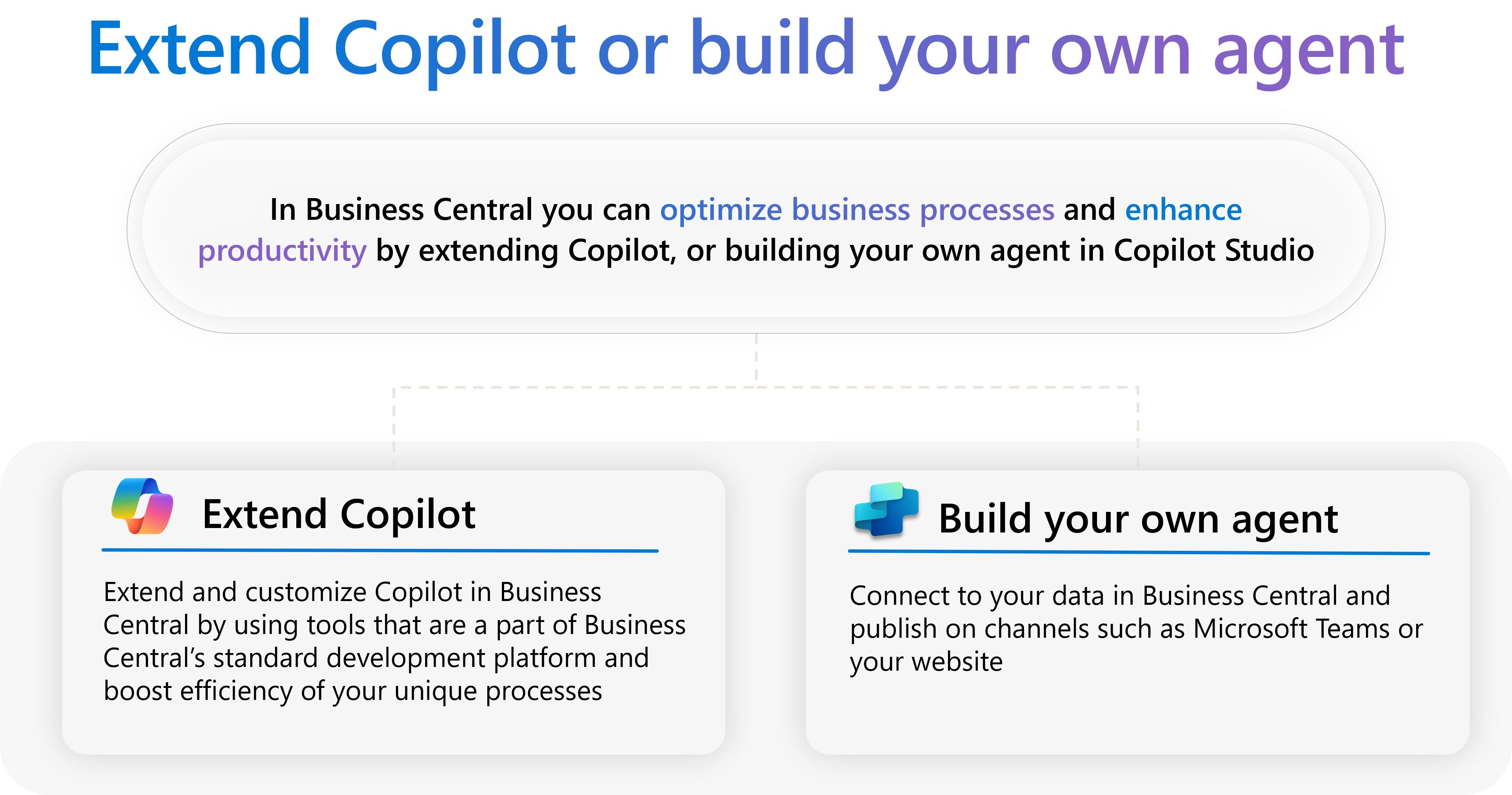
Microsoft's wider AI and development ecosystem provides opportunities to extend AI beyond prebuilt Business Central experiences.
For organisations with specific business processes, ERP365 can help identify where AI assistance, automation or specialised integrations can provide real operational value.
The focus should be on solving a defined business problem rather than introducing AI simply for the sake of having AI.
AI ACROSS BUSINESS CENTRAL
Procurement
Connect purchasing processes with your wider Business Central ERP environment.
Sales
Use AI for product content and extend automation into inbound sales order processing with Sales Order Agent.
Projects
Bring projects, resources, costs and project financial information into the same Business Central platform.
Inventory
Combine Business Central inventory data and connected processes with smarter ways of working.
Finance
Use Copilot and agents to reduce repetitive financial administration and support processes such as bank reconciliation and accounts payable.
Manufacturing
Build AI-enabled ways of working on top of a connected manufacturing ERP foundation.
WHY AI ERP?
Traditional ERP is excellent at capturing transactions and maintaining business records.
AI creates another layer.
Instead of simply storing information, Business Central can provide intelligent assistance to people and increasingly use purpose-built agents to perform defined processes.
Automate Defined Processes
Use AI agents for specific business processes such as sales order capture and vendor invoice processing.
Build on Microsoft Technology
Bring Business Central together with Microsoft's broader Copilot and AI ecosystem.
Improve Productivity
Reduce time spent on repetitive ERP activities.
Make Information Easier to Use
Give users more intuitive ways to interact with business information.
Maintain Oversight
Business Central agents can work with defined permissions, profiles and human involvement at points within their processes.
Turn Microsoft AI into practical business outcomes
ERP365 helps New Zealand and Australian businesses move beyond the AI hype and identify practical opportunities for AI within Microsoft Dynamics 365 Business Central.
The starting point isn't: "Where can we put AI?"
It's: "Which repetitive processes consume our people's time, and where could intelligent assistance or controlled automation make a measurable difference?"
ERP365 can help you build Business Central around connected business processes and identify where Copilot, AI agents and automation can add value.
Is AI-Powered Business Central Right for Your Business?
Business Central with Copilot and AI agents may be worth exploring if you want to:
Reduce repetitive ERP administration
Make business information easier to access
Generate product content more efficiently
Automate parts of vendor invoice processing
Build AI into a connected Microsoft ERP environment
Help employees work more efficiently
Introduce AI-assisted finance processes
Automate parts of inbound sales order processing
Introduce AI while retaining appropriate human oversight
FREQUENTLY ASKED QUESTIONS
Yes. Microsoft Copilot capabilities are available within Dynamics 365 Business Central, providing AI-powered experiences across areas including content creation and financial processes.
Some capabilities, agents and experiences have their own availability, configuration or licensing requirements, ERP365 can help determine which features apply to your Business Central environment.
Ready to put AI to work in your ERP?
Talk to ERP365 about where AI can make a meaningful difference across your finance, sales and wider business processes.